Stream real-time data with PubNub in Node.js and Python
Stream Wikimedia's live changes through PubNub with the Node.js SDK, then publish hundreds of messages a second with HTTP pipelining and streaming in Python.

Set up your environment
PubNub delivers a constant stream of data, such as live edits, sensor readings or market prices, to any number of subscribers. This tutorial shows two ways to stream data through PubNub:
- With the PubNub JavaScript SDK: a Node.js app reads Wikimedia's live feed of page changes and publishes every change to a PubNub channel. The PubNub data streaming demo shows them in the browser.
- With HTTP pipelining and streaming: a Python script sends thousands of messages a second over one connection, and you watch them arrive at a streaming URL.
You need:
- Node.js 22.12 or later (the current PubNub JavaScript SDK and the eventsource package require it)
- Python 3
- Git
- A code editor, for example Visual Studio Code, and a current browser
Get the code
Clone the tutorial repository and open its folder:
git clone https://github.com/PubNubDevelopers/Real-Time-Data-Streaming-Tutorial.git
cd Real-Time-Data-Streaming-Tutorial
It has three folders: real-time-pubnub-sdk (the Node.js publisher), real-time-pubnub-stream (the Python script) and demo-changes (a function you paste into the demo in the build steps).
Tested with the PubNub JavaScript SDK 13.1.3, Node.js 24 and Python 3.15 (October 2026).
Create keys
You need a free PubNub account and a keyset. The keyset's default services are all this tutorial needs. Create it with your AI coding tool and the PubNub MCP Server, or by hand in the Admin Portal.
With the PubNub MCP Server
The PubNub MCP Server lets your AI tool create apps and keysets in your account. It runs at https://mcp.pubnub.com, and you sign in with your PubNub account, so there's nothing to install. If MCP connections are turned off for your organization, an Account Owner or Account Admin can turn them on in Organization settings.
Create a free account if you don't have one, then add the server to your tool:
- Claude Code: run
claude mcp add --scope user --transport http pubnub https://mcp.pubnub.com, startclaude, enter/mcp, select pubnub, then authenticate, and sign in. - Cursor: add
{"mcpServers": {"PubNub": {"url": "https://mcp.pubnub.com"}}}to.cursor/mcp.json, click Enable on the notification Cursor shows, and sign in when prompted. - VS Code: add
{"servers": {"PubNub": {"type": "http", "url": "https://mcp.pubnub.com"}}}to.vscode/mcp.jsonand sign in when prompted. - Claude Desktop, Codex, Gemini CLI and OpenCode: see Set up the MCP server.
Then ask your tool: "Create a PubNub app with a testing keyset for a data streaming tutorial, with the default services, then show me the publish and subscribe keys." Copy the Publish key and the Subscribe key it shows. You paste them into real-time-pubnub-sdk/index.js and real-time-pubnub-stream/pubnub-stream3.py in the build steps.
In the Admin Portal
You'll need to create an account to use your own keysSign in to the Admin Portal. Go to Apps & Keysets and click Create app. Give the app a name.
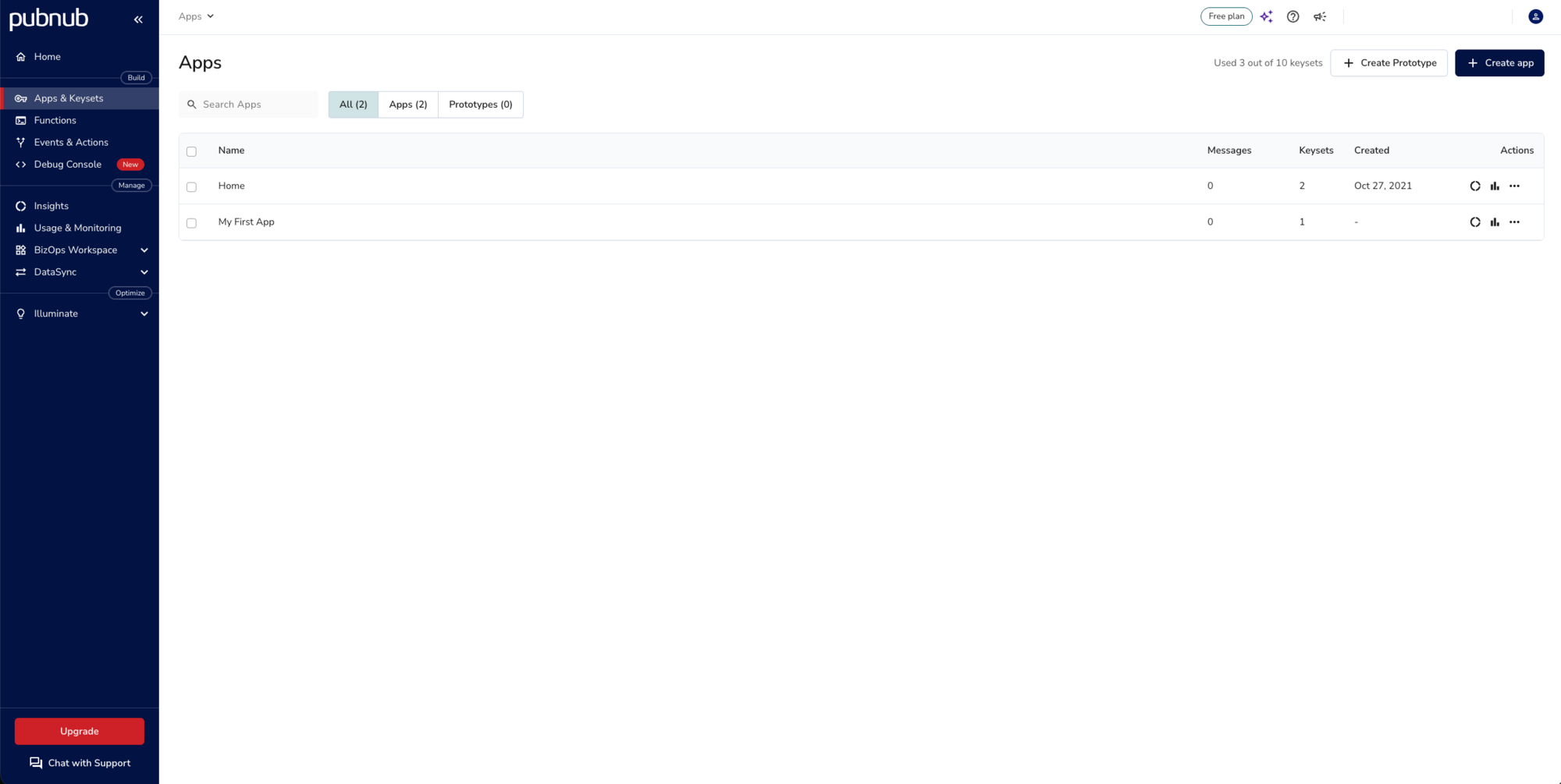
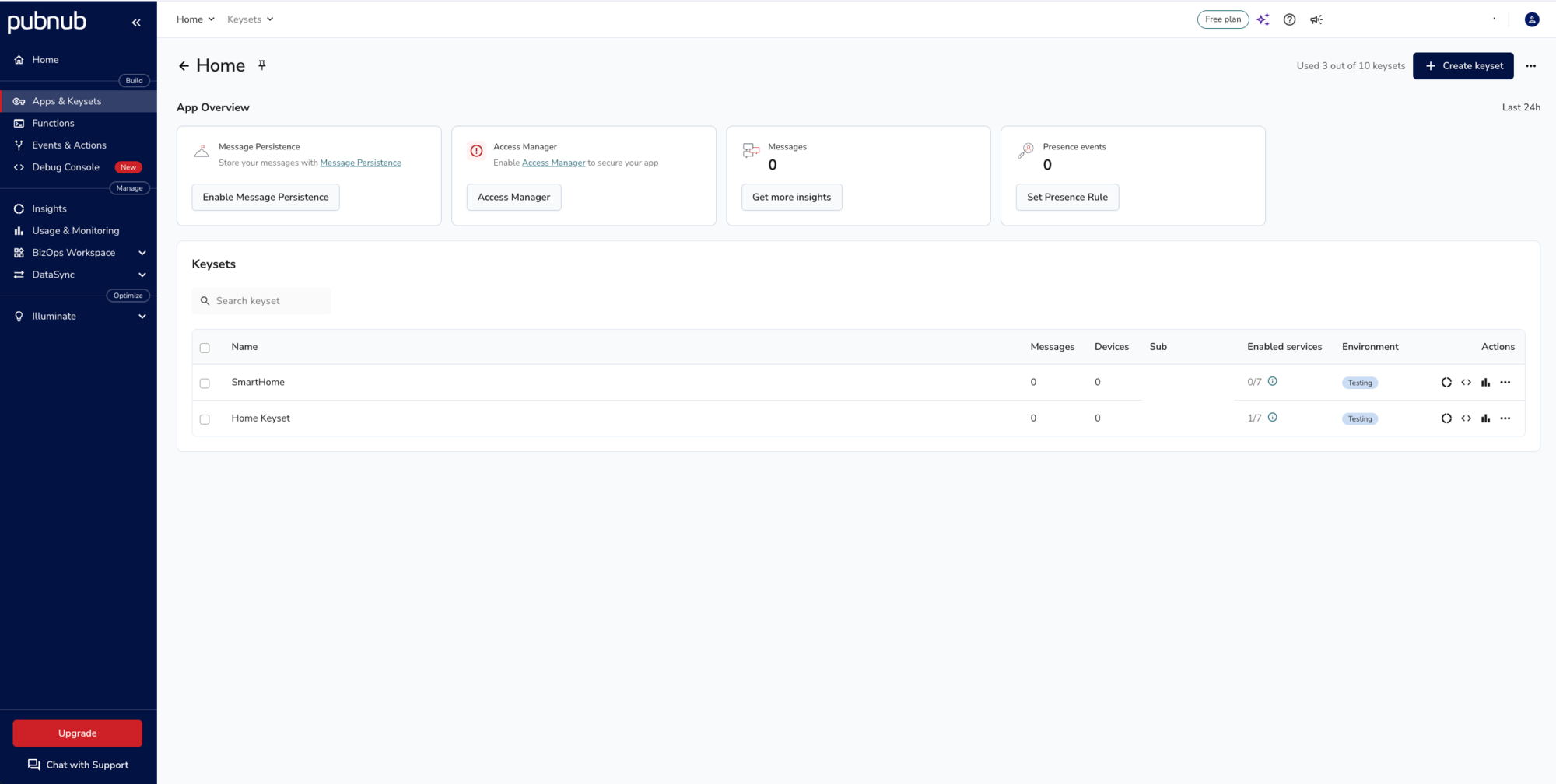
Open the app and click Create keyset.
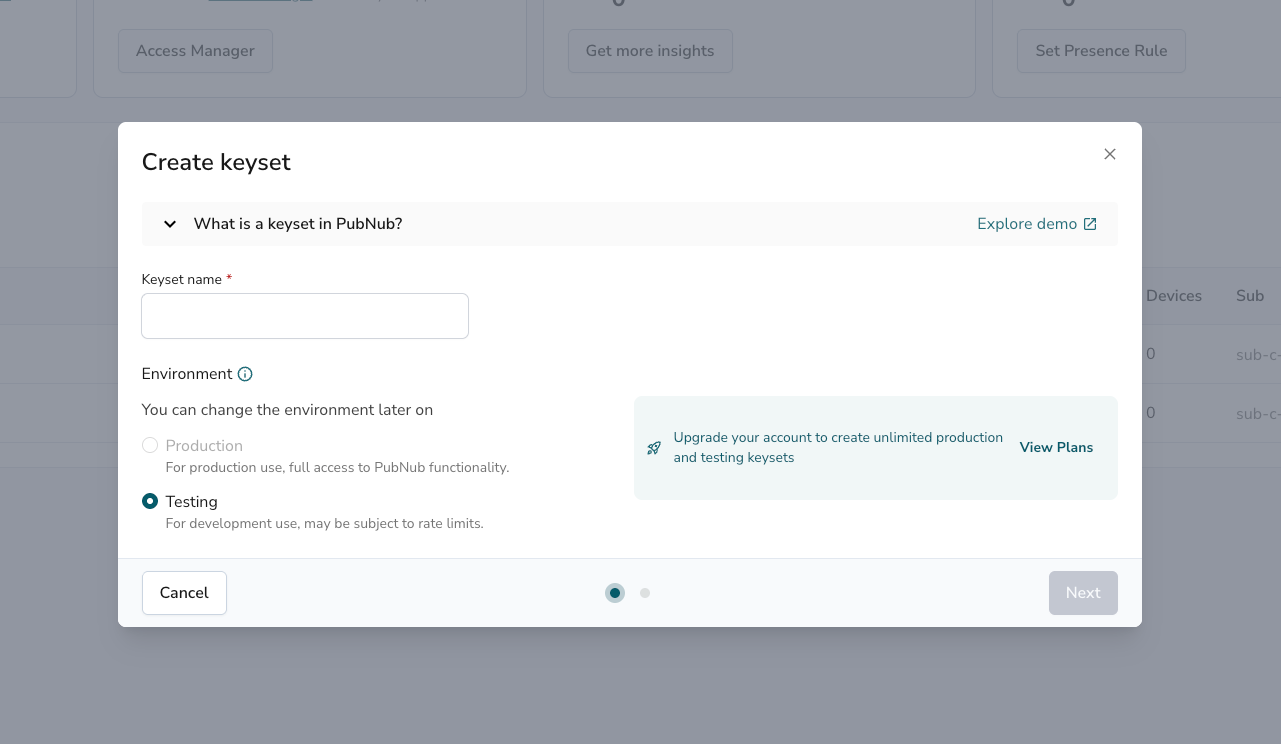
Enter a keyset name, keep the environment on Testing and click Next.
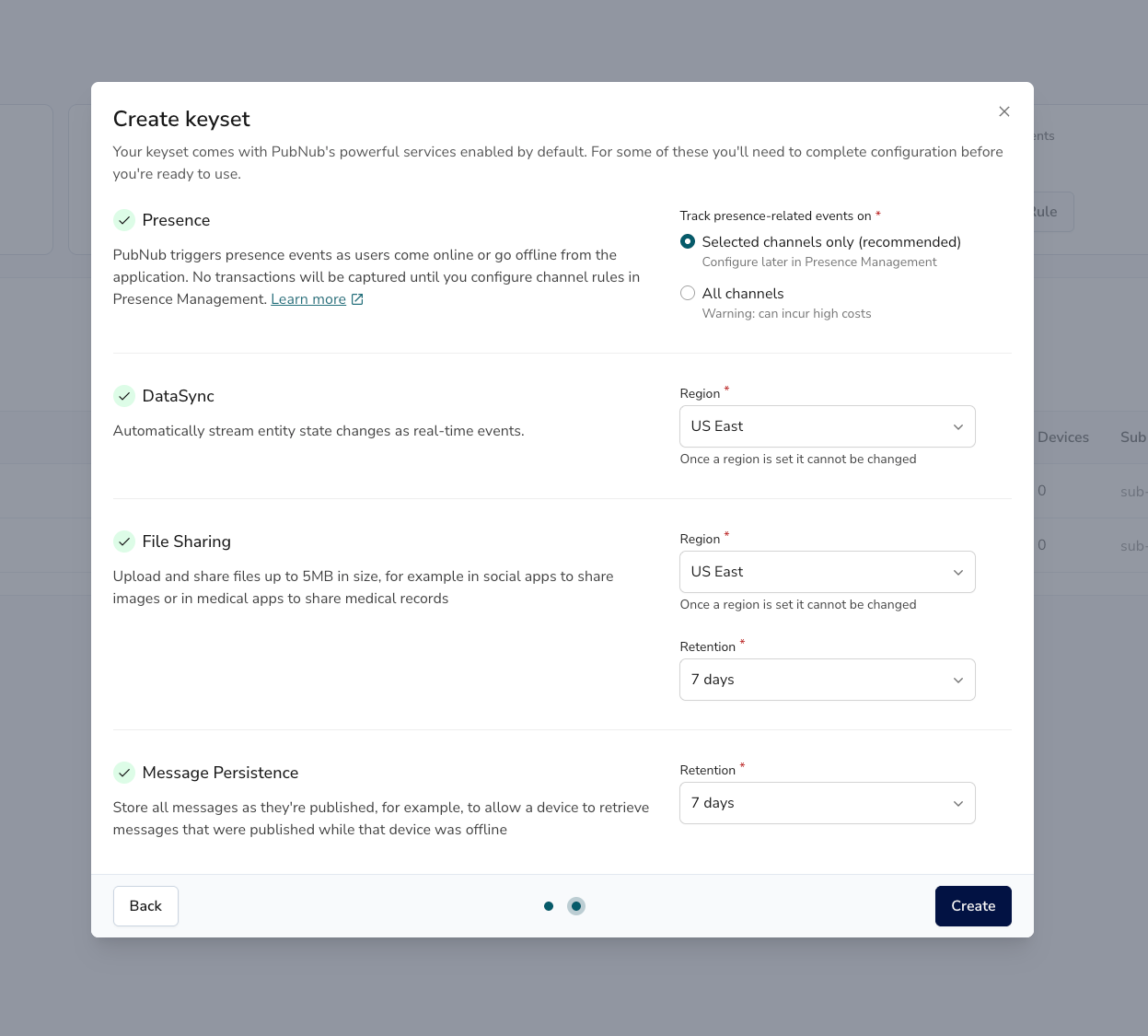
The next screen lists the services that come with the keyset. Keep the defaults and click Create.
Finally, copy the Publish key and the Subscribe key from the Keys panel. You paste them into the code in the build steps.
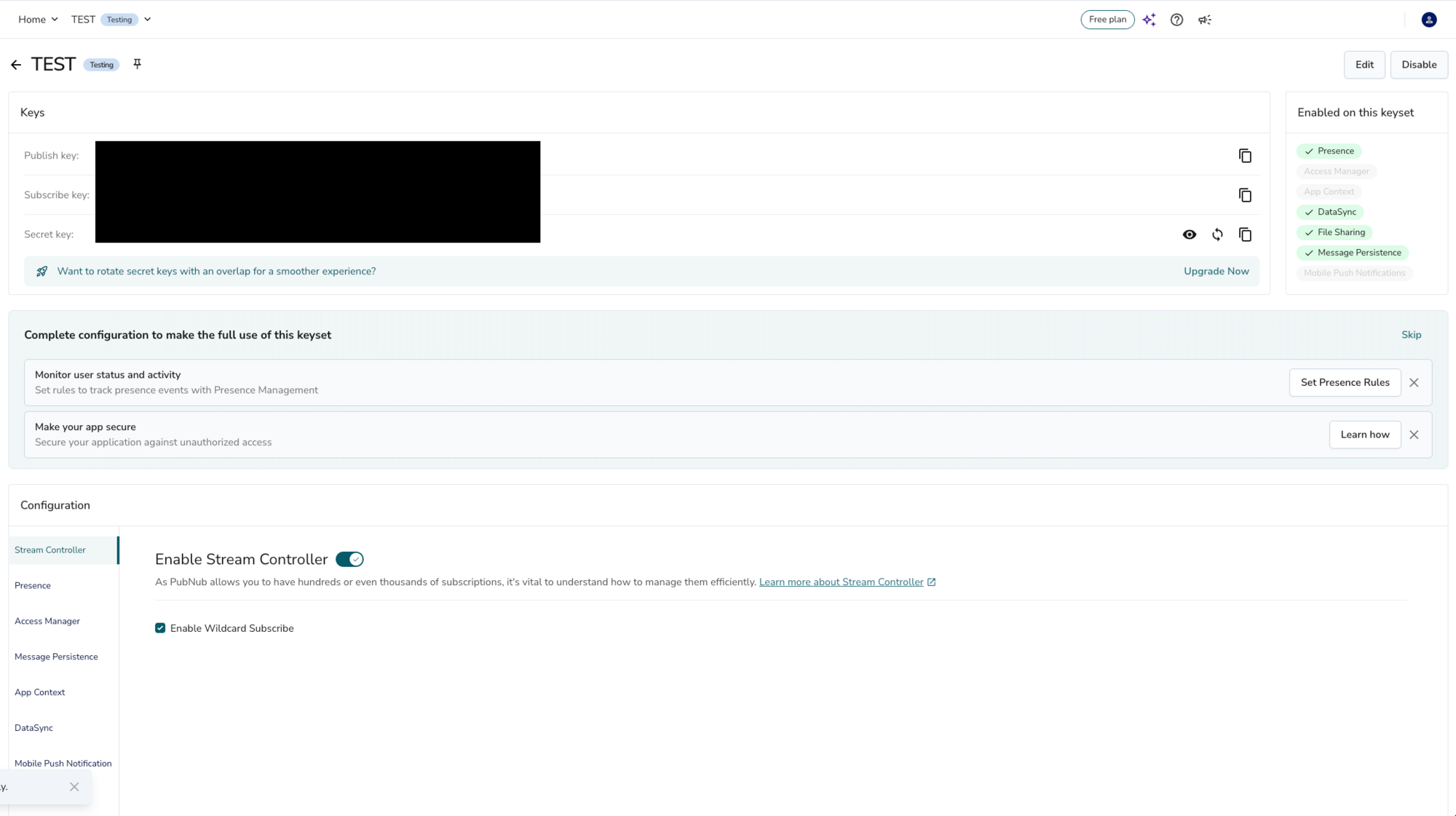
A free account covers up to 1 million transactions a month. Every publish is at least one transaction, and a payload over 2 KiB counts as one per 2 KiB part. The apps in this tutorial publish quickly (the Node.js app tens of changes a second, the Python script hundreds of messages a second), so stop them with Ctrl+C once you've seen them work.
Build and run
You build the stream in three parts: a Node.js app that publishes Wikimedia's changes with the PubNub SDK, the PubNub data streaming demo to watch them in the browser, and a Python script that publishes with HTTP pipelining.
Part 1. Publish Wikimedia changes with the SDK
Wikimedia publishes every change to its wikis as EventStreams, using server-sent events. This app reads the recent changes stream. To see the raw feed first, run:
curl -N https://stream.wikimedia.org/v2/stream/recentchange
Each data: line is one change, as JSON. Press Ctrl+C to stop.
Open real-time-pubnub-sdk/index.js and replace YOUR_PUBLISH_KEY and YOUR_SUBSCRIBE_KEY with your keys. The app reads the stream with the eventsource package and creates a PubNub client:
const { EventSource } = require('eventsource')
const PubNub = require('pubnub')

const url = 'https://stream.wikimedia.org/v2/stream/recentchange'
const eventSource = new EventSource(url)

const pubnub = new PubNub({
  publishKey: 'YOUR_PUBLISH_KEY',
  subscribeKey: 'YOUR_SUBSCRIBE_KEY',
  userId: 'real-time-tutorial'
})
Every client needs a User ID. A server app like this one can use a fixed one. For each change, the app prints one line and publishes the whole event to the pubnub-wikipedia channel. If a publish fails, for example because a key is wrong, it prints the reason:
eventSource.onmessage = async event => {
  try {
    const data = JSON.parse(event.data)
    // To publish changes from one wiki only, wrap the rest in: if (data.server_name === 'en.wikipedia.org') { ... }
    console.log(data.server_name, data.type, data.title)
    await pubnub.publish({
      channel: 'pubnub-wikipedia',
      message: data
    })
  } catch (e) {
    console.error('Publish failed:', e.message, e.status?.errorData ?? '')
  }
}
Install the dependencies and start the app. package.json pins the versions it was tested with: pubnub 13.1.3 and eventsource 5.1.3.
cd real-time-pubnub-sdk
npm install
npm start
A line appears for every change, from every Wikimedia wiki:
commons.wikimedia.org categorize Category:Images from Mapillary uploaded with Curator
en.wikipedia.org edit Hung Up
www.wikidata.org edit Q141896144
To check that the messages reach PubNub, open the Admin Portal, select Build → Debug Console, choose your app and keyset, and subscribe to pubnub-wikipedia. Leave the app running for part 2.
The SDK has no hard publish rate limit. The API limits page recommends 10 to 15 messages per second per channel, because a slow subscriber can fall behind its connection's message buffer. Wikimedia's stream is often faster than that; filter it to one wiki, as the comment in the code shows, if a subscriber can't keep up.
Part 2. Watch the stream in the data streaming demo
The PubNub data streaming demo subscribes to several live streams, one of them Wikipedia changes. Point it at your keyset to see your own stream. Clone it in a new terminal:
git clone https://github.com/PubNubDevelopers/Real-Time-Data-Streaming-Demo.git
cd Real-Time-Data-Streaming-Demo
In js/streams.js, find the entry with id: 'wikipedia'. Set its subKey to your subscribe key and keep its channel on pubnub-wikipedia, the channel the app publishes to.
The demo's own Wikipedia stream sends a different message format, so in js/index.js, replace the addFormattedMessageWikipedia function with the one in demo-changes/addFormattedMessageWikipedia.js of the tutorial repository:
function addFormattedMessageWikipedia (payload) {
  var li = document.createElement('li')
  li.setAttribute('class', 'list-group-item')
  var fields = [
    ['Source', 'Wikimedia (' + payload.message.server_name + ')'],
    ['Title', payload.message.title],
    ['User', payload.message.user],
    ['Timestamp', new Date(payload.timetoken / 10000)]
  ]
  fields.forEach(function (field) {
    var label = document.createElement('b')
    label.textContent = field[0] + ': '
    li.appendChild(label)
    li.appendChild(document.createTextNode(field[1]))
    li.appendChild(document.createElement('br'))
  })
  var list = document.getElementById('messageList')
  list.insertBefore(li, list.firstChild)
  capElements()
}
It adds the page titles and user names as text, not HTML, because anyone can edit a wiki: a title with HTML in it shows as text instead of running in your page. payload.timetoken is PubNub's timestamp in 100-nanosecond units, so dividing it by 10,000 gives milliseconds for a JavaScript Date.
Serve the folder and open http://localhost:8000/:
python3 -m http.server 8000
Select Wikipedia Changes (Live) in the stream menu. With the Node.js app from part 1 still running, the changes appear as they're published:
If nothing appears, check that the Node.js app is running and prints no Publish failed lines, that both use the same subscribe key, and that the channel is pubnub-wikipedia in both. Stop the app with Ctrl+C when you're done.
Part 3. Publish with HTTP pipelining and watch with HTTP streaming
The SDK sends each publish as its own HTTP request. For very high throughput, you can skip the SDK and pipeline instead: write many publish requests to one connection without waiting for replies, then read the replies as they come back. The script in real-time-pubnub-stream/pubnub-stream3.py is a Python 3 port of an HTTP pipelining gist from PubNub. HTTP pipelining and the streaming URL below aren't part of the documented REST API, so talk to PubNub before you build on them in production.
Open the script and replace YOUR_PUBLISH_KEY and YOUR_SUBSCRIBE_KEY with your keys. It connects to ps.pndsn.com, the host the PubNub SDKs use, over TLS:
PUBLISH_KEY = 'YOUR_PUBLISH_KEY'
SUBSCRIBE_KEY = 'YOUR_SUBSCRIBE_KEY'
CHANNEL = 'streamtest'
USER_ID = 'stream-tutorial'

HOST = 'ps.pndsn.com'
PORT = 443
BATCH = 1000  # Publish requests in flight on the connection at once
Every 10 seconds, it starts a round: it opens a connection and sends a random number of publish requests, a few thousand to about 20,000. Each message is a random UUID, as URL-encoded JSON. The requests go out BATCH at a time: the script writes 1,000 requests in one go without waiting, then reads their replies and counts the ones PubNub accepted. One thread does both, because a TLS socket can't be read and written from two threads at once. If PubNub rejects a batch, for example because a key is wrong, the script prints the reason and ends the round:
for start in range(0, numMessages, BATCH):
    count = min(BATCH, numMessages - start)
    s.sendall(''.join(request() for _ in range(count)).encode())
    ok, rejected, reason = readReplies(s, count)
    accepted += ok
    if rejected:
        print('PubNub rejected', rejected, 'messages:', reason)
        break
Each request is a plain HTTP GET to the same publish endpoint the SDK calls:
def request():
    payload = quote('"' + str(id[random.randrange(0, numID-1)]) + '"')
    path = '/publish/' + PUBLISH_KEY + '/' + SUBSCRIBE_KEY + '/0/' + CHANNEL + '/0/' + payload + '?uuid=' + USER_ID
    return 'GET ' + path + ' HTTP/1.1\r\nHost: ' + HOST + '\r\n\r\n'
Before you run it, open the stream of the streamtest channel in a browser tab, with your subscribe key in the URL:
https://ps.pndsn.com/stream/YOUR_SUBSCRIBE_KEY/streamtest/0/10000
Then run the script from the repository folder:
python3 real-time-pubnub-stream/pubnub-stream3.py
After 10 seconds, it starts the first round and reports on it:
creating 8063 UUIDs
We will send a random quantity of messages every 10 seconds, each contains a randomly selected UUID.
Sending 4707 messages.
It took 6.843616008758545 seconds to send 4707 messages
PubNub accepted 4707 of 4707 messages
In our tests, one connection published 700 to 1,000 messages a second, all of them accepted. The browser tab fills with the UUIDs faster than you can read them. The browser doesn't keep the stream open forever, so reload the tab if it stops updating.
The script starts a new round every 10 seconds until you stop it with Ctrl+C. At this rate it uses a free account's 1 million transactions in about 20 minutes, so don't leave it running. Testing keysets are also rate-limited and not meant for sustained traffic like this.

Congratulations - what's next?
You streamed live data through PubNub twice: with the JavaScript SDK from Node.js, and with HTTP pipelining from Python.
Go further
JavaScript SDK documentation Publish messages API limits Real-time data streaming demoBefore you go to production
Your keys are in the code, so anyone who has them can publish to your channels. Keep the publish key on your servers, and use Access Manager to give subscribers read-only tokens. For sustained high-throughput publishing, talk to PubNub about your traffic first.
Ready to get beyond proof of concept?
Schedule a 15-minute chat with one of our experts to get your project moving.
Talk to an ExpertTake it to production on your own keys
Create a free PubNub account to get permanent keys for this app.